The design circle: how fixture designers and robot programmers work better together
Before you build a single fixture, offline programming lets you test whether a part can actually be welded by a robot. Check seam reachability, fixture interference, torch access, collisions, heat distortion, and cycle time digitally – avoiding costly shop‑floor surprises and rework.

In most manufacturing operations, fixture design and robot programming happen in separate rooms, separate timelines, sometimes separate companies. The fixture designer creates a jig. Weeks later the robot programmer imports the model and finds out the robot can’t reach half the welds because a clamp is in the way.
Then everyone scrambles. The root cause usually isn’t bad engineering. The people involved are competent. The problem is that their workflows never intersect until something breaks.
We call the fix the design circle: a way of working where the fixture designer, the process engineer, and the robot programmer share the same model and talk to each other before the design is locked. It sounds obvious. In practice, it almost never happens by default.
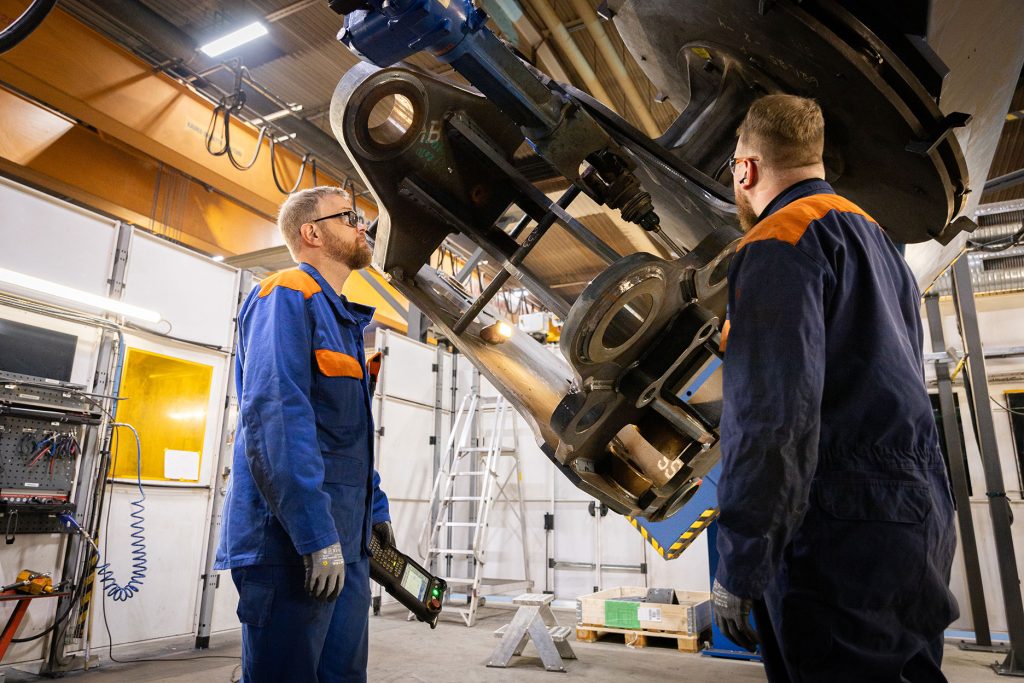
The blind spot isn’t the weld, it’s the fixture
Most design teams do a decent job planning weld seams. That part is well understood. What trips people up is how the workpiece gets clamped and held in position.
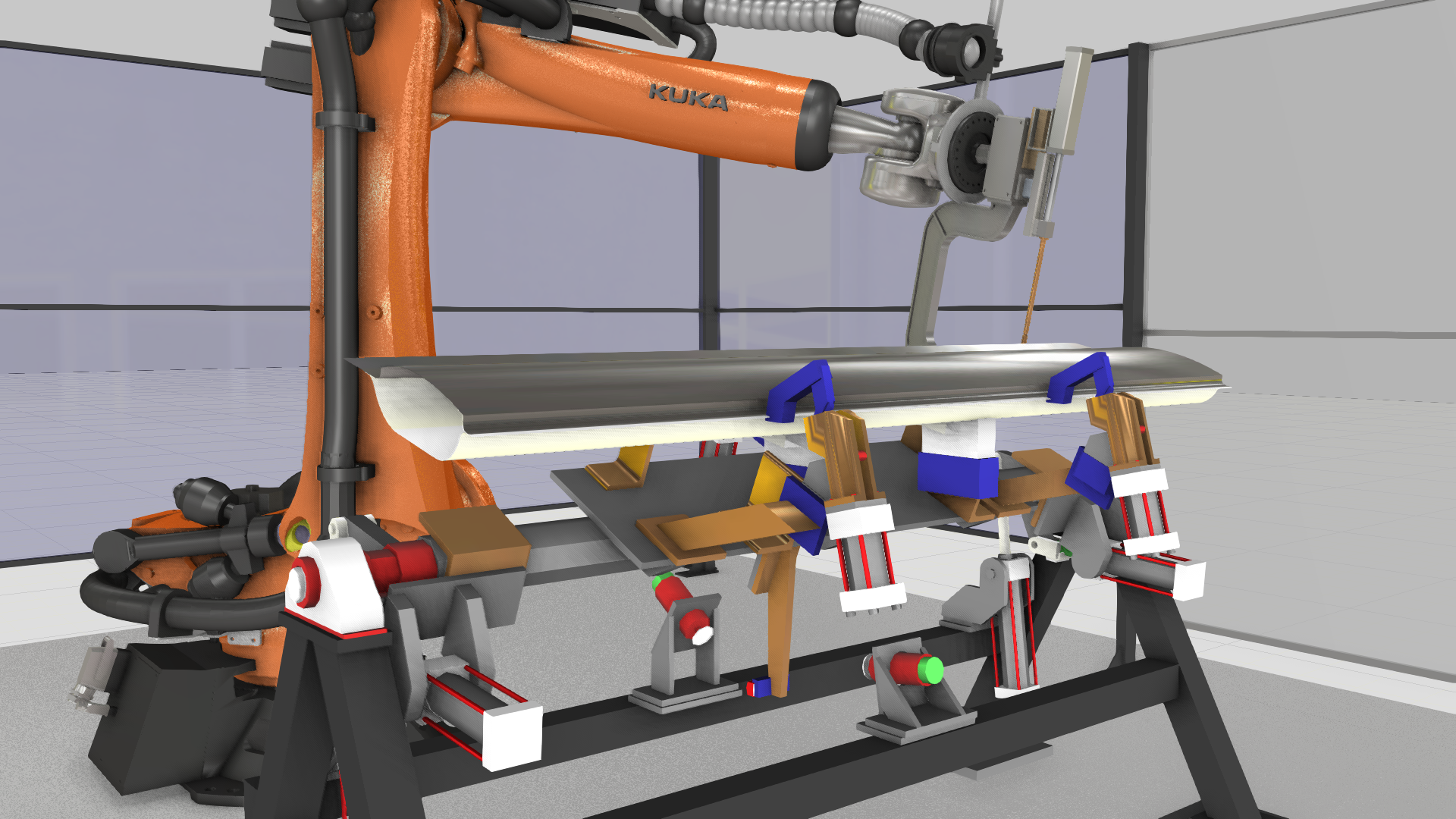
Fixture interference is the most common manufacturability problem, and it’s the one most often caught too late. A clamp sits on top of a weld. Nobody accounted for heat-induced distortion, so there are no fixture points to counteract it. The welding torch physically can’t fit through the gap between clamps.
When these problems show up on the factory floor, operators improvise. They add temporary clamps, pause the program, tweak the path by hand. The designer never hears about it. The feedback loop that should exist just… doesn’t.
What is the design circle?
Three roles, one model, ongoing communication. That’s it.
The fixture or product designer creates part geometry, fixtures, and clamping points. The process engineer (usually someone with welding or manufacturing expertise) knows how joints actually get made, what parameters apply, and how heat input needs to be managed. The robot programmer validates whether the robot can physically execute the plan against the real cell: reachability, tooling clearance, collision-free paths.
Here’s what this looks like in practice.
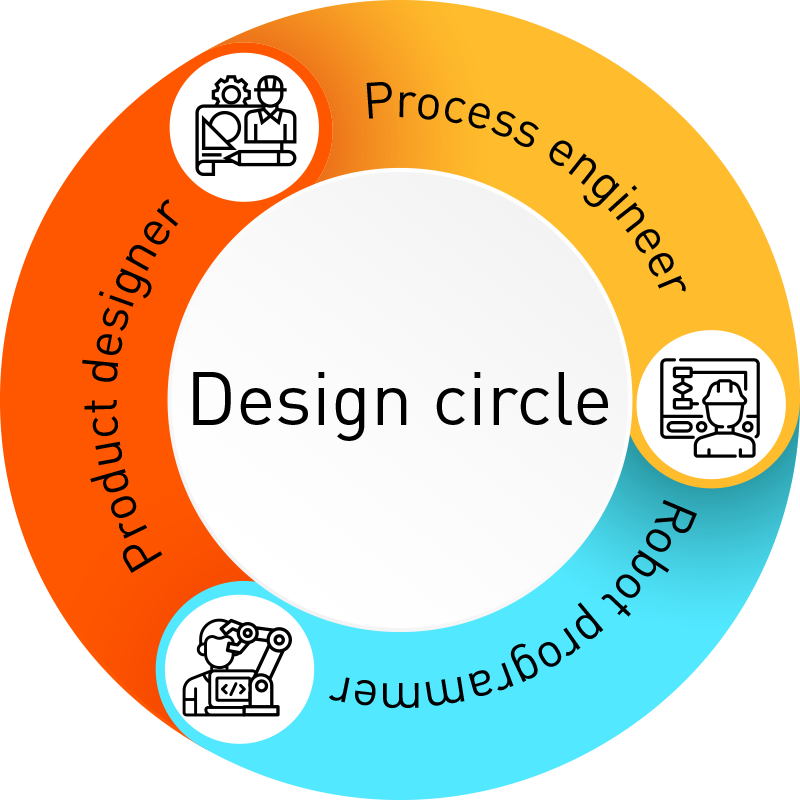
Each person’s output feeds the next person’s work. The designer creates geometry. The process engineer decides how it gets welded. The robot programmer checks whether the robot can actually do it. If something fails, the feedback goes back to design right away, not six months later during commissioning.
The alternative is the “over-the-wall” approach: design finishes, throws the model to programming, programming finds problems, redesign starts from scratch. It’s slow and expensive, and most manufacturers still do it this way.
Where the friction lives
| The fixture designer’s sid |
|---|
| Fixture designers think about clamping, positioning, and part access. They rarely have visibility into how the robot will move around their fixture. In-house design teams tend to have shorter feedback loops. Outsourced design offices may bring deeper specialization, but information flows slower, and problems take longer to surface. |
| The robot programmer’s side |
|---|
| Robot programmers work with torch paths, orientations, and seam sequences. Fixture geometry constrains or blocks robot motion. A common discovery: the torch can’t reach a joint because of where the clamps are, or an external axis can’t rotate the workpiece into position because the fixture profile is too bulky. |
| When problems show up depends on how you produce |
|---|
| In serial production, problems usually appear during the prototype run. There’s a dedicated proto line, the part runs through once, issues surface, and redesign happens before the production line starts. That’s the best case. A failed proto run still delays the entire product launch. In small-batch and job-shop production, there’s no proto run. Problems surface during actual production. Operators fix things on the fly, sometimes with workarounds that never make it back to the designer. The waste is real but invisible. |
| How Visual Components OLP enables the design circle |
|---|
| Robot offline programming (OLP) gives all three roles a shared environment where they can validate a design before anyone builds anything. Here’s what the workflow looks like in practice with Visual Components OLP: 1. A new workpiece comes in from design. The designer, process engineer, and robot programmer meet early, before the design is finalized. 2.The designer creates the part in CAD with weld seam data (MBD/PMI), fixture geometry, and clamping points. 3. The robot programmer imports everything into Visual Components OLP. Welds load automatically from product manufacturing information (PMI) data or get defined manually. Welding parameters are checked against standards. 4. Validation runs. Can the robot reach every weld? Do the fixtures allow torch access? Are external axes positioned correctly? Any collisions? 5. The torch cloud makes conflicts visible. A 3D visualization shows the swept volume of the welding torch along every programmed path, so it’s immediately obvious where fixtures or clamps would collide. 6. If everything passes, the design is approved for production. If not, feedback goes back to design and the cycle repeats. 7. When the design passes the final check, a production-ready robot program already exists. Deploy to the calibrated cell and start. |
| Torch cloud: the part that connects both worlds |
|---|
| “Torch cloud” is a welding-world term, but the concept works for any robot tool. It records the 3D shape of the tool (torch, gripper, blade) at every point along the path, either as individual positions or as a continuous swept volume. The important part: this swept volume can be exported as 3D geometry alongside the workpiece model. The fixture designer can open it and see exactly what space the robot tool occupies. They know where clamps can’t go. That closes the gap between robot programming and fixture design in a way that verbal feedback or 2D drawings never quite manage. Combined with reachability analysis and collision detection, the robot programmer can validate every weld point against the fixture before any physical tooling gets built. every weld point against the fixture before any physical tooling gets built. |
Real-world examples: Sandvik and Ponsse
Sandvik
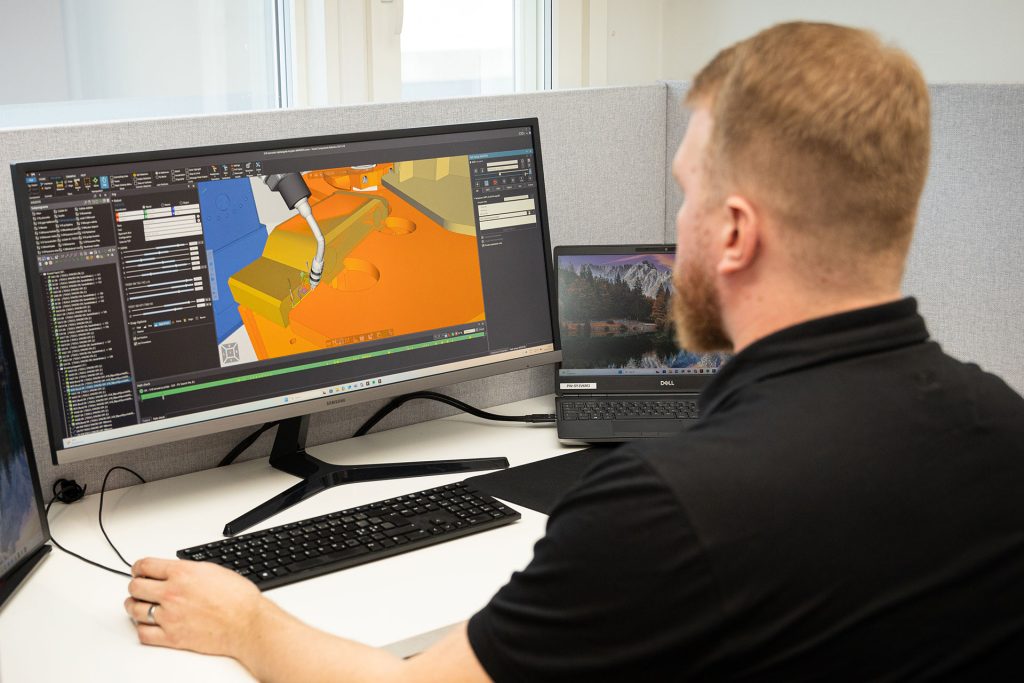
Sandvik uses Visual Components for more than robot programming. They plan jigs and fixtures before production starts by creating a point cloud of torch paths and determining the best frame assembly position relative to the welding positioner. That gives their jig designers accurate boundary conditions, so the resulting fixture ensures full reachability and good welding positions for every weld.
Ponsse
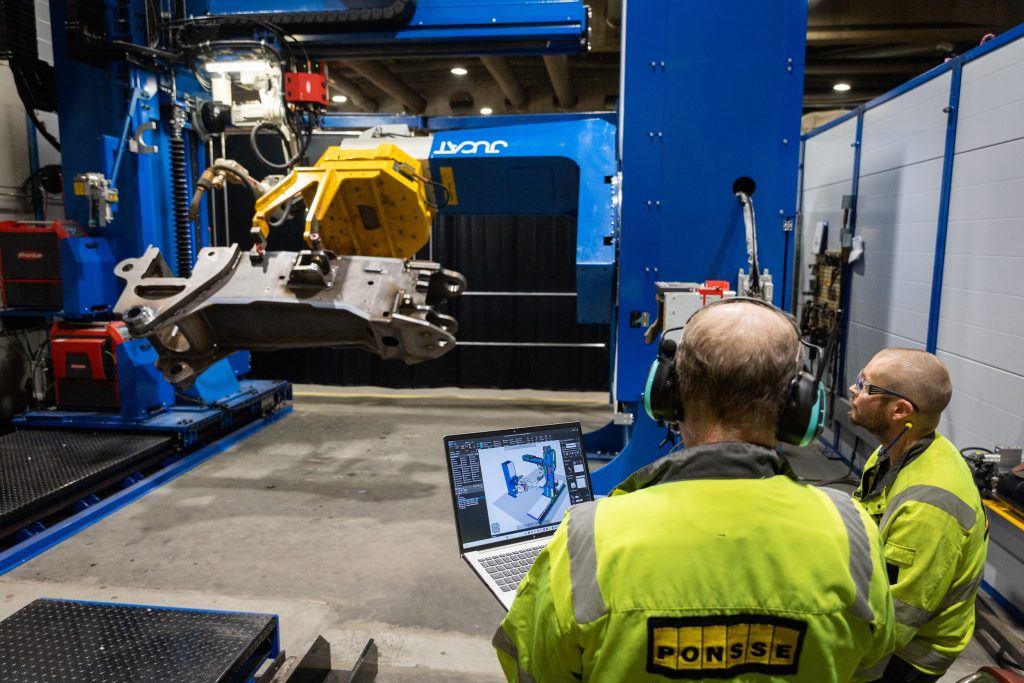
Ponsse uses Visual Components for fixture design, jig design, and robot station layout. When a new station is planned, everything gets validated in software first: cell configuration, fixture placement, layout. They use the same OLP license for design validation that they use for programming. Extra value, same investment.
Most manufacturers buy Visual Components OLP for robot programming. That’s the main reason. But the value from fixture planning, cell design, and this kind of cross-role collaboration often goes untapped. Sandvik and Ponsse are exceptions because they realized the software can do both.
Getting started: what you actually need
You don’t need a big team or a process overhaul.
In a small shop, one engineer who handles design, process decisions, and programming can run the entire design circle alone. That’s the minimum unit: one person with the software.
In larger organizations, it’s the three roles (designer, process engineer, robot programmer) working in their own areas but able to talk to each other and influence each other’s work. If they can’t, the circle breaks.
If you already use Visual Components OLP for programming, adding this workflow is mostly about communication. Schedule a review meeting when a new workpiece model comes in. The robot programmer validates it in the offline programming environment and sends feedback to design before the fixture gets built. That’s the core of it.
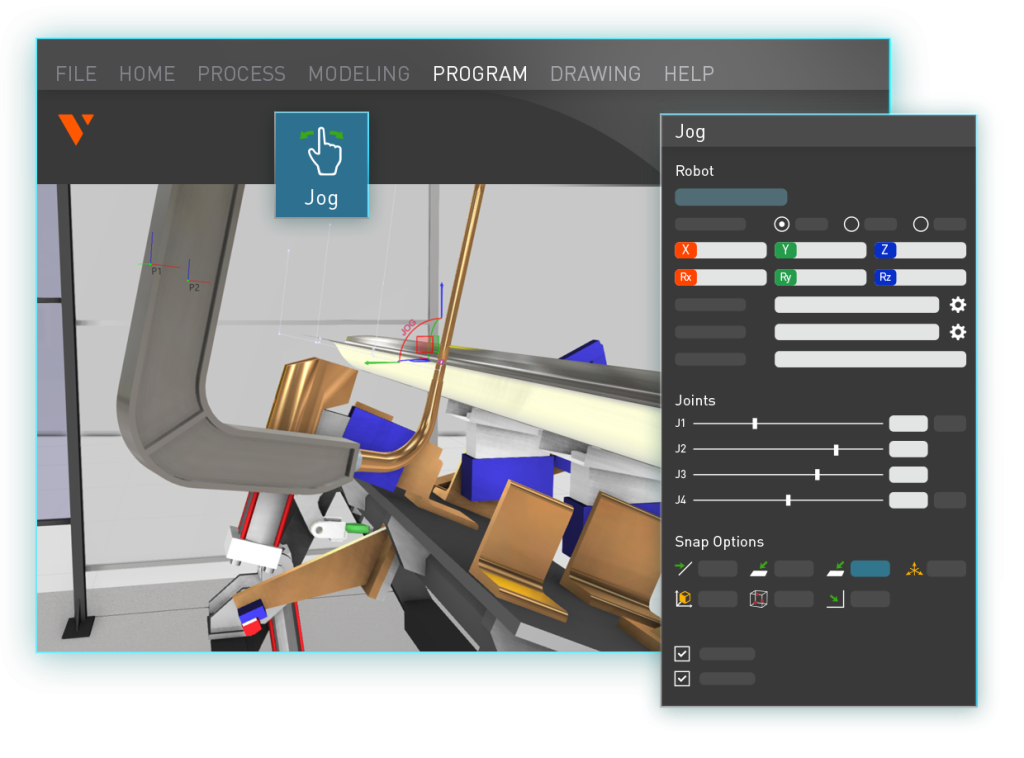
One onboarding detail that matters: when the software is first deployed, include all three roles in the training, even if only one person will use it daily. When designers see the OLP environment, they understand how their choices affect what happens downstream. They learn to deliver models in the right format and see where welding parameters come from. That visibility alone changes the conversation.
For teams adopting OLP for the first time, the standard onboarding covers the technical foundation. The collaboration layer builds from there. the standard onboarding covers the technical foundation. The collaboration layer builds from there.
Where it matters most
The design circle applies broadly. Every manufacturer designs a part and then produces it.
But the payoff is disproportionately large in serial production. A fixture mistake on a part you produce 10,000 times multiplies across every unit. Heavy machinery, automotive, and large-scale fabrication see the biggest gains. automotive, and large-scale fabrication see the biggest gains.
Even high-mix, low-volume shops benefit. OLP catches problems that would otherwise show up as scrap, rework, or wasted machine time. shops benefit. OLP catches problems that would otherwise show up as scrap, rework, or wasted machine time.
What’s next: AI and collaborative tools
AI will probably affect the design side of the circle first. Generative fixture design, where AI proposes geometries based on company-specific data and constraints, is already in early stages. The results are still inconsistent, but they’re getting better as models train on more real-world data.
On the programming side, the OLP solver could eventually learn cell-specific constraints over time, understanding which parameter ranges consistently produce valid solutions for a given cell instead of running a full solve from scratch every time.
Further out, a cloud-based environment where all three roles work on the same model simultaneously with version control would make the design circle even more natural. That’s a direction worth watching.
The value most teams miss
Most manufacturers buy Visual Components OLP for robot programming. That makes sense. But the ability to catch fixture problems before commissioning, give designers visibility into manufacturing constraints, and avoid rounds of rework? That’s already in the software. Most teams just haven’t set up the communication to take advantage of it.
The design circle isn’t new software. It’s a way of working. And it starts with getting the right people into the same model early enough to matter.
Request a demo to see how Visual Components OLP connects fixture design, process engineering, and robot programming in one environment.
Frequently asked questions
A design circle is a workflow where the fixture designer, process engineer, and robot programmer work from the same model and give each other feedback throughout the design phase, instead of handing work off sequentially and discovering problems during commissioning.
They share a single offline programming environment. The designer creates fixtures and clamping geometry in CAD. The robot programmer imports the workpiece into Visual Components OLP and checks torch access, robot reachability, and collision-free paths. If something doesn’t work, feedback goes back to design before any physical fixture is built.
A torch cloud is a 3D visualization of the space a robot tool occupies along its programmed path. It shows the fixture designer exactly where the tool travels, so they can see where clamps or fixtures would cause collisions. The volume can be exported as 3D geometry for use in CAD.
Poorly positioned fixtures can block torch access, force the robot into awkward configurations, or prevent proper welding angles. Checking fixture designs against the robot program in Visual Components OLP catches these issues before any physical fixture is built.
Yes. Visual Components OLP checks for conflicts between the robot, tool, workpiece, and fixtures in the offline programming environment. Problems get found and fixed digitally, before the program reaches the shop floor.
One engineer with Visual Components OLP can run the design circle alone in a small operation. In larger organizations, three roles (designer, process engineer, robot programmer) with shared access to the OLP environment and a regular review cadence are enough.
Further reading

Mike Strahlman on what comes next for Visual Components
As the new CEO of Visual Components, Mike Strahlman shares his vision for the future of manufacturing simulation, digital twins, and automation planning. In this interview, he explains why factories...
Cost per weld: how to compare robot programming software as production scales
Calculate robot programming software cost per weld and compare license, subscription, and weld-credit pricing as parts and variants scale.
Introducing FactoryLens: turn factory simulations into realistic customer experiences
Visual Components launches FactoryLens, extending its collaboration with NVIDIA for industrial digital twins. FactoryLens helps system integrators and machine builders present Visual Components simulations with realistic materials, lighting, and shadows,...