Single-brand OLP tools vs. Visual Components: what system integrators actually lose
Brand-dedicated OLP tools can be free for customers. But for system integrators and OEMs, brand lock-in and robot-only scope create hidden costs. Here’s the fact-based comparison.
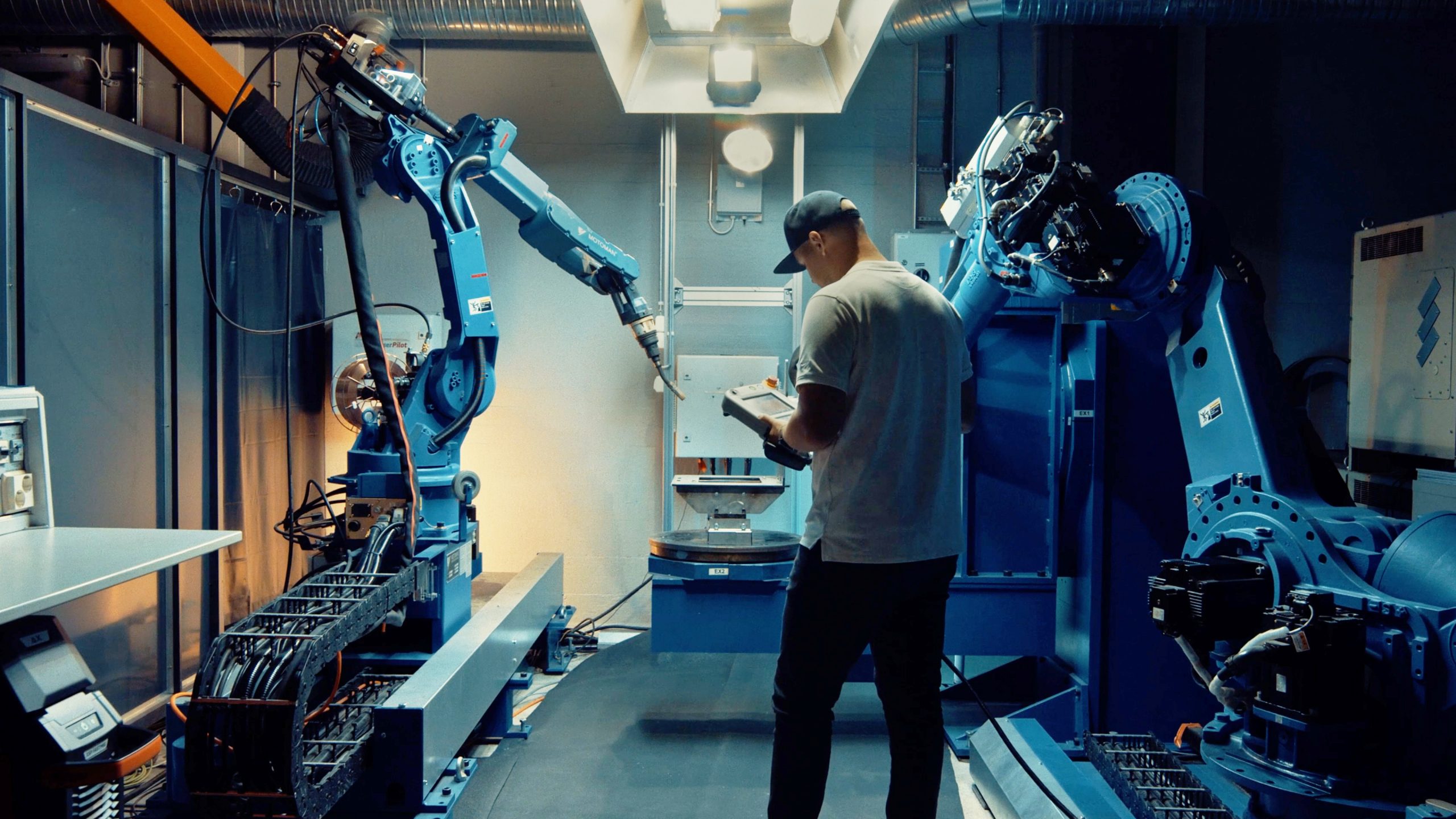
Brand-dedicated tools can be free for customers of that specific manufacturer. That’s a hard price to argue against when you’re evaluating OLP software.
But “free” means something specific: free to program one robot brand, in one cell, without a view of the broader production context. For a single-brand shop running simple, stable production and programming simple parts in simple robot system setups — that might be enough. For a system integrator who works with multiple robot brands across projects, or an OEM running different brands across facilities, the cost of that limitation shows up fast.
This article is a fact-based comparison of brand-dedicated OLP tools versus Visual Components as a multi-brand, full-scope alternative. No brand bashing. Just the structural differences that matter when you’re choosing a platform for the next three to five years.
What brand-dedicated OLP tools actually do well
Brand-dedicated OLP tools were built to do one thing extremely well: program and simulate robots from a single manufacturer with high fidelity.
The core strength: These tools run the actual virtual controller for their brand. When you simulate a cycle time, the software emulates the real controller runtime — which means the cycle time you see closely matches what you’ll get on the shop floor. For process packages like arc welding or painting (sold separately), they integrate deeply with brand-specific technology. For engineers who have spent years working in the brand’s native programming language, it’s a familiar and capable environment.
Some have expanded with cloud options, AR viewers, and AI-assisted path planning — but all of these additions remain within the single-brand ecosystem, and many of them often accrue additional costs as add-ons.
The limitation is scope, not quality. These tools are designed for a specific use case and they fulfill it. The problem is what they don’t cover.
The four structural limitations that cost integrators the most
1. One tool, one brand
Every brand-dedicated OLP tool programs exactly one robot manufacturer’s robots. One tool for one brand. Another tool for another brand.
For a system integrator, this is the core problem. Most integrators work with three to five robot brands across their project portfolio. That means three to five separate OLP environments — separate installations, separate training requirements, separate workflow conventions, and no program reuse between projects.
Consider a line builder whose customer’s process needs a collaborative robot application on one end of the line — which typically means robots from a specific manufacturer — while the other end of the line calls for specialized welding robots from a different manufacturer. The integrator runs one tool for the first brand and another tool for the second. Coordinating timing and signals between them requires yet another workflow.
2. Teach-pendant style vs. feature-based programming
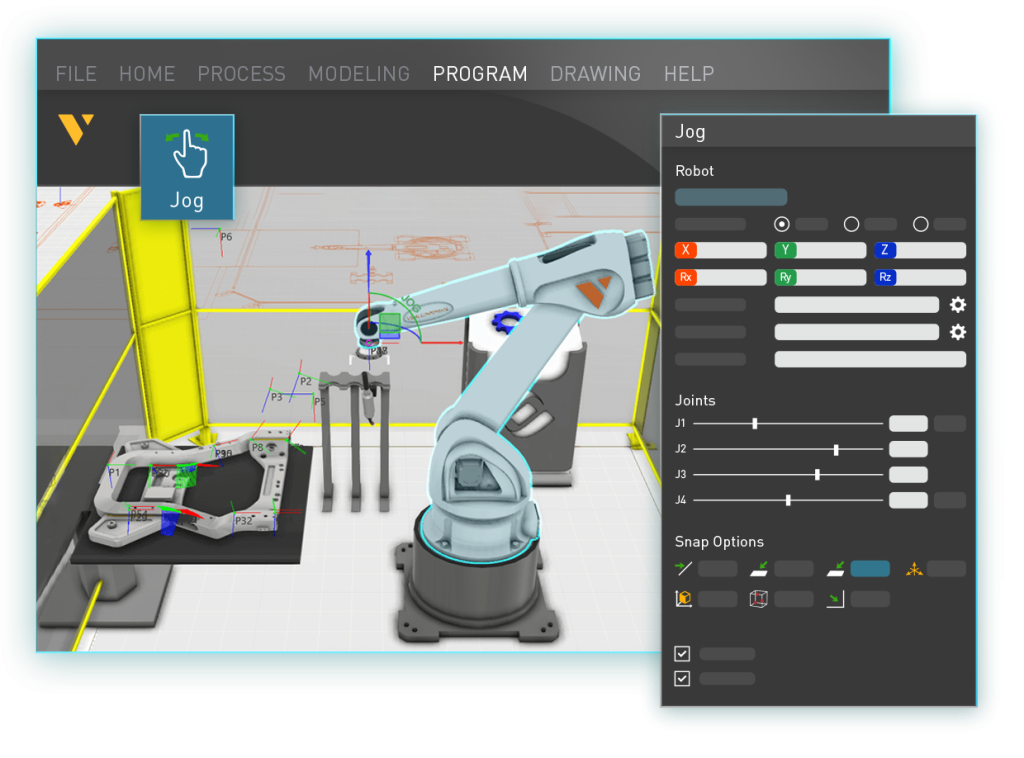
Many brand-dedicated tools work like virtual teach pendants. The engineer jogs the virtual robot to a position, saves the point, moves to the next position, saves the next point. It’s the same workflow as on-site manual programming — you’ve just moved it to a desk.
This contrasts with feature-based programming — the approach used in Visual Components OLP: programs are built on the workpiece CAD model, not by jogging the robot. Select the surfaces or seams to be processed, define the parameters, and the software calculates how the robot reaches each point.
The difference shows up in two places. First, speed: a welding seam that requires 30 minutes of jogging and point-saving in a brand tool can be defined in a few clicks with feature-based programming. Second, reusability: because programs are tied to the workpiece geometry, not to a specific robot configuration, they transfer across robot brands and across different robot cells within the facility.
3. Robot-only scope — no view of the full cell
Brand-dedicated tools simulate the robot. They don’t simulate the production environment the robot lives in.
There’s no conveyor simulation — you can’t model how parts arrive at the cell or leave it. No fixture simulation beyond the static geometry of what the robot interacts with. No AGV or autonomous mobile robot simulation to model material flow in the broader factory. No human operator simulation to understand where automation and manual tasks intersect.
This matters for commissioning. A system integrator who programs a robot in isolation but can’t simulate how the whole cell operates is making educated guesses about how parts will flow, where bottlenecks and part queues will build up, and whether the cycle time supports the line rate. Those guesses get resolved on the shop floor — which is the most expensive place to resolve them.
Visual Components simulates cells, lines, and full factories in the same environment as the robot programs. Conveyors, fixtures, AGVs, human operators, sensor logic — all modeled alongside the robot paths. Throughput bottlenecks, cycle time across the full line, utilization rates across multiple cells: you see it before you build anything.
4. Limited multi-robot system support
Multi-robot cells are common in manufacturing. A positioner robot holds and orientates the workpiece while a welding robot performs the weld. Handling robots feed parts into a cell. Several robots work the same workpiece from different sides. Coordinating these robots — their motion, their signals, their timing — is where the real engineering complexity lives.
Brand-dedicated tools simulate one manufacturer’s robots in isolation. They can’t model how multiple robots in a cell interact, validate signal handoffs between them, or coordinate synchronized motion across the system. You program each robot on its own and hope the cell-level behavior matches when you arrive on-site.
Visual Components handles full multi-robot coordination with signal logic, synchronized motion (including external axes like floor tracks and positioners), and coordinated path planning — for multi-robot systems within a cell and across cells along a line. It’s worth noting that tightly synchronized motion between robots from different manufacturers in the same cell is a hardware and controller limitation that no OLP software can overcome; for that, robots from the same brand and controller family are used. But the broader point stands: Visual Components models the whole multi-robot system, not just individual robots.
Multi-robot programming consistently emerges as the primary OLP differentiator in long-form evaluation processes at large manufacturers. It’s a capability that’s been core to Visual Components for years.
Visual Components: one platform for multi-brand, full-scope OLP
Visual Components supports 22+ robot brands and over 40 controllers in a single platform. The same workflow applies regardless of which robot is in the cell. No switching tools. No separate training per brand.
Program reuse across brands. When a program built for one robot brand needs to run on another, the process is straightforward: export the program, import it into the new cell, update the process parameters for the new brand, and run the post-processor. The workpiece geometry, path definitions, and weld parameters carry over. You’re not rebuilding from scratch.
Feature-based programming. Paths are created on the CAD workpiece, and the software calculates robot motion automatically. This handles the collision-free path planning, singularity avoidance, joint-limit checking, and reachability analysis that brand tools either skip or require manual intervention to resolve.
Post-processors that teams can own. Visual Components post-processors cover all 22+ brands and are customizable via Python and .NET interfaces. When robot manufacturers update firmware or process parameters change, teams can modify the post-processor themselves — without calling the software vendor.
Virtual commissioning included. PLC connectivity via OPC UA, Siemens S7, Beckhoff ADS, and other protocols comes with the platform, not as a separate module. Real-time connection to hardware PLCs and virtual PLCs is supported. The virtual commissioning workflow — validating control logic and automation sequences against the digital twin before physical commissioning — happens in the same environment as robot programming.
Connectivity to brand virtual controllers when it matters. For applications where exact cycle times are critical, Visual Components Connectivity links to brand-specific virtual controllers. This lets teams validate programs with brand-level cycle time accuracy when it matters, while still benefiting from multi-brand programming and full-scope simulation for everything else.
OEM and whitelabel capability. Visual Components offers OEM partnerships and whitelabeling — companies can rebrand and tailor the software for their own go-to-market needs. This capability isn’t common in single-brand tools; their ecosystems are closed by design. For robot manufacturers and large integrators looking to embed simulation and OLP into their own offerings, this is a structural advantage that brand tools simply can’t provide.
30-day trial. Brand tools are free for brand customers but unavailable to evaluate in isolation. Visual Components offers a 30-day trial license for qualified prospects, letting teams verify fit with their actual workflows before committing.
Where brand-agnostic alternatives fit
Visual Components isn’t the only brand-agnostic option. Some enterprise platforms cover broad manufacturing simulation and OLP at a significantly higher annual cost and deep PLM ecosystem integration. Some entry-level tools offer basic multi-brand robot programming at a lower price point but with limited programming and path planning functionality, limited cell-level simulation, and no factory-scope modeling. Niche solutions target specific processes like automated welding path generation. None of these alternatives combine multi-brand OLP, full factory simulation, and virtual commissioning in a single platform at Visual Components’ price point.
Comparison at a glance
| Feature | Single-brand OLP tools | Visual Components |
| Robot brands supported | One brand only | 22+ brands, 40+ controllers |
| Cell/line simulation | Limited | Full scope |
| Multi-robot system simulation | Limited or none | Yes |
| Feature-based programming | No | Yes |
| Automated error-free path planning | Limited or manual | Yes |
| Process-specific programming tools (painting, cutting, welding) | None or limited | Yes |
| Automated import of process data from 3D product models | No | Yes |
| Program reuse across brands | No | Yes |
| Virtual commissioning | Limited or none | Yes |
| Material flow simulation | No | Yes |
| Post-processor customization | No | Yes (Python + .NET) |
| OEM/whitelabel capability | No | Yes |
| Connects to brand virtual controllers | N/A (native) | Yes (via Connectivity) |
| Trial license | Free (brand customers only) | 30-day trial |
An honest note on cycle time accuracy
Brand-specific tools have one genuine accuracy edge worth naming directly: they run the actual virtual controller. When a brand tool calculates a cycle time, it’s emulating the real controller runtime — which produces results that closely match the physical robot.
Visual Components uses a generic robot controller for cycle time estimation. The estimates are useful for planning, but they won’t match brand-tool precision for applications where millisecond accuracy matters — primarily production-line spot welding and handling applications where tight cycle times directly affect line rate.
For most welding applications — arc welding programs that run for minutes because of process speeds and cooling times — this difference is negligible in practice. The error percentage is small, and the other variables (heat input, torch angles, path sequencing) have more impact on outcomes.
For applications where exact cycle times are critical, Visual Components Connectivity links to brand-specific virtual controllers — allowing teams to validate programs with brand-level cycle time accuracy when it matters, while still benefiting from multi-brand programming and full-scope simulation for everything else.
OLP myths that lock manufacturers into brand tools
Myth: “Free brand tools are good enough.”
They’re free to use within the brand’s ecosystem — when they’re free at all. But for a system integrator running three robot brands, “free” means three tools, three workflows, and three separate training programs to maintain. And the hidden cost goes beyond tool fragmentation: programming time and effort matter enormously. A “free” brand tool can easily be 20 times slower than a premium tool like Visual Components, because Visual Components programs feature-based and automates path planning to a degree that brand tools simply can’t match. The integration cost — manual data transfer, time lost switching environments, programs that can’t be reused across brands, and the sheer hours spent jogging and saving points — rarely shows up in the purchase evaluation.
Myth: “Brand tools are more accurate.”
For cycle-time-critical applications, yes — the virtual controller advantage is real. For arc welding, cutting, painting, and most handling applications, the accuracy difference doesn’t meaningfully affect output. And for integrators who need to program robots from multiple brands in contexts where accuracy matters, Visual Components Connectivity offers the bridge to brand-controller simulation.
Myth: “We only use one robot brand.”
Today. Most system integrators — and most OEMs with multiple facilities — find themselves working with a second or third brand within a few years. The tool fragmentation that seems manageable with one brand becomes a serious bottleneck when you add a second.
When brand-dedicated OLP makes sense
This comparison isn’t an argument that brand tools are always the wrong choice. If your situation fits the following, brand tools may be sufficient:
- Single robot brand with no plans to expand
- Stable production cells that don’t change between projects
- Engineers who are experts in the brand’s programming language and don’t need to move programs across brands
- Automotive production cells where millisecond cycle time accuracy is mandatory and one brand is a company standard
- Simple applications where an AI-assisted path planner in the brand tool is enough
The questions worth asking honestly: How many robot brands do you work with today — and what’s realistic in three years? Do your projects ever require coordinating robots from different manufacturers? Do you need to simulate material flow, fixtures, or human tasks alongside the robot? Do your programs need to transfer across cells or projects? Do you need to embed simulation or OLP into your own product offering?
If the honest answers point toward growth and variety, brand tools become an obstacle you’ll eventually pay to remove.
Conclusion: yesterday’s tool vs. tomorrow’s flexibility
Brand-dedicated OLP tools were designed for a manufacturing world where one brand ran one type of cell for a long time. They’re good at that. But the manufacturing environment system integrators and OEMs actually work in — multiple brands, mixed-product cells, growing automation footprints — doesn’t fit that model.
Visual Components solves the problem that brand tools can’t: programming any robot brand in the context of the full production environment, with programs that transfer across brands and cells without starting over.
One platform. 22+ brands. 40+ controllers. Unlimited flexibility.
Compare in a 30-day trial or request a demo to see Visual Components applied to your specific robot mix.
Frequently asked questions
Yes. Visual Components supports 22+ robot brands with built-in post-processors that generate accurate code for major controllers. Programs are feature-based and reusable across brands, so a program developed for one brand can be adapted for use with any other supported brand.
Not always — only from certain brands. And even for the ones that are free, advanced functionality is often packaged into add-ons that cost money in the end. For multi-brand environments, or for system integrators working with multiple robot brands across projects, a brand-agnostic platform like Visual Components provides broader capability. Explore Visual Components OLP.
System integrators working with multiple robot brands benefit from a brand-agnostic platform. Visual Components supports 22+ robot brands and combines robot programming, full cell and line simulation, and virtual commissioning in one platform — without switching tools per project or per brand.
Yes. Visual Components supports multi-brand cell simulation — robots from different manufacturers can be modeled in the same cell, with signal logic and coordinated path planning. Note that tightly synchronized motion between robots from different manufacturers is a hardware and controller limitation that no OLP software can overcome; for that, robots from the same brand and controller family are used. Brand-dedicated tools can’t simulate mixed-brand environments at all.
Yes. Visual Components offers a 30-day trial license for qualified prospects. Start here.
Teach-pendant-style programming — used by some brand-dedicated tools — jogs the virtual robot to each position and saves it, mirroring manual on-site programming. Feature-based programming creates paths on the workpiece CAD model and lets the software calculate how the robot reaches each point. Feature-based programs are faster to create and portable across robot brands. See the workflow in action.
Export the program from the first cell model as a workpiece-referenced file. Import it into the second cell model. Update the process parameters for the new robot brand and controller. Run the post-processor to generate the new brand’s code. The workpiece geometry, path definitions, and weld sequence carry over automatically — you’re not rebuilding the program from scratch.
Yes. Visual Components Connectivity links to major brand-specific virtual controllers, allowing teams to validate programs with the same cycle-time accuracy as the brand-dedicated tool — while still using Visual Components for multi-brand programming, cell simulation, and virtual commissioning.

Further reading
Cost per weld: how to compare robot programming software as production scales
Calculate robot programming software cost per weld and compare license, subscription, and weld-credit pricing as parts and variants scale.
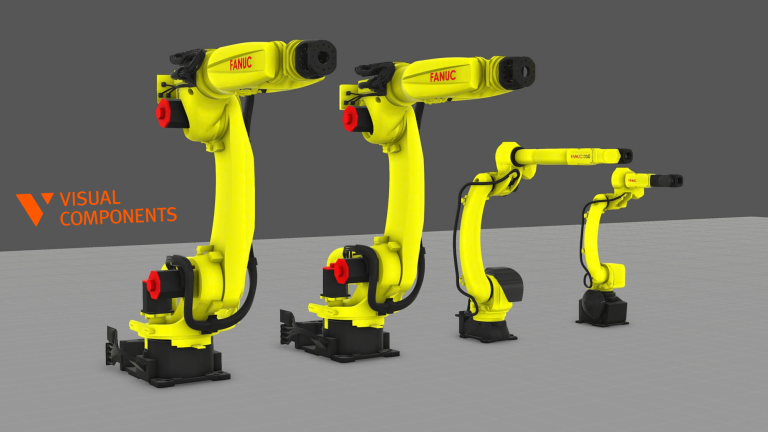
How to program a FANUC robot offline with Visual Components
Learn how to build, calibrate, validate, post-process, and deploy a FANUC robot program offline with Visual Components.

Synchronized robot motion: how OLP makes multi-robot programming manageable
Multi-robot cells can weld, handle, and reposition large parts in ways one robot cannot. Offline programming gives engineers one place to program the complete system and find problems before commissioning.