Manufacturing simulation software: what to look for in 2026
An objective look at simulation software features, pricing considerations, and evaluation criteria. See what to look for and how to match tools to your manufacturing needs.
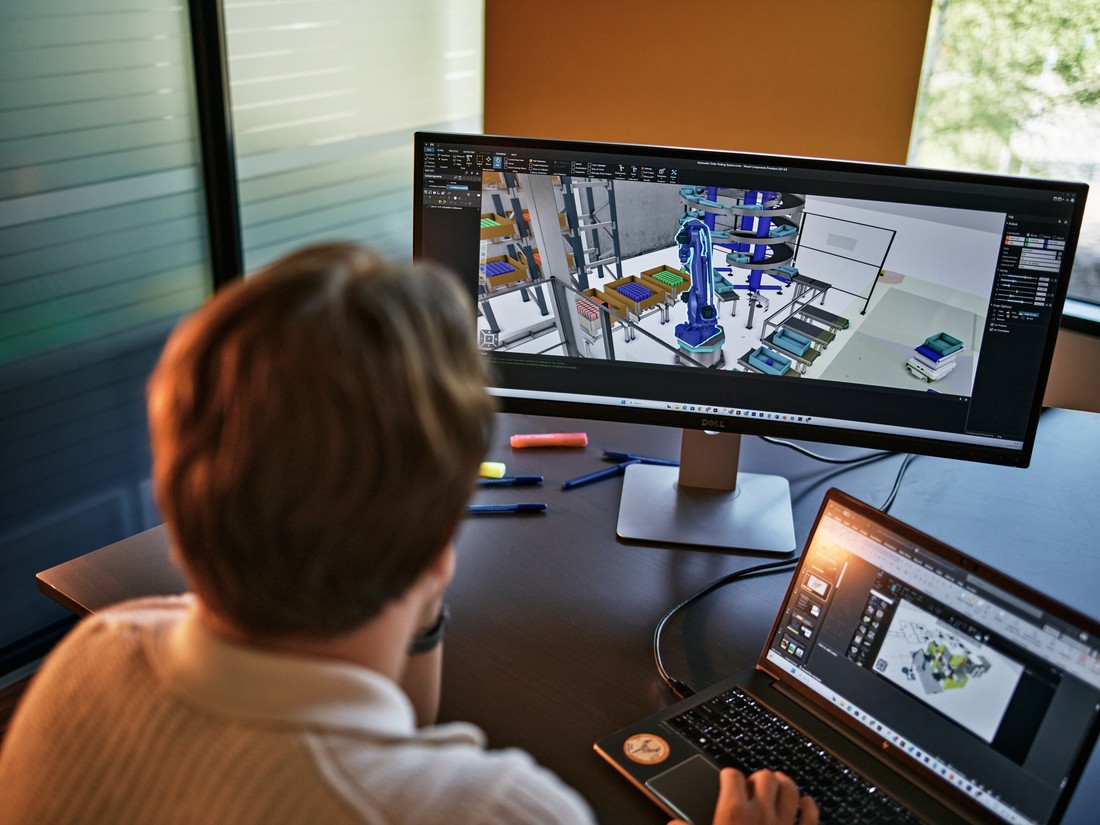
Behind the marketing claims, you will find real differences in what each tool covers, what it costs, and who it is built for.
This comparison is grounded in a structured benchmarking project covering 14 manufacturing simulation tools. We analyzed pricing, module coverage, robot support, PLC connectivity, CAD import, API capabilities, collaboration features, and trial availability.
If you are past the “what is simulation software” stage and you are now asking “which one fits my team,” this is for you.
Our benchmarking methodology
We evaluated 14 simulation tools across nine feature categories using publicly available vendor documentation, direct platform testing, and market research. The full dataset covers pricing tiers, supported modules, robot library breadth, PLC protocol support, API languages, CAD import formats, OEM capabilities, and trial availability.
Only verifiable data is used here. Where tools have genuine strengths, we say so. Where gaps exist, we let the data show them.
Quick-reference comparison table
| Feature | Visual Components | Typical enterprise platform | Lower-cost alternative |
| Annual subscription | €13,000 (Premium simulation); OLP sold separately as Premium OLP | €20,000+ | €5,000–8,000 |
| Trial available | ✓ 30 days | ✗ | ✗ |
| Plug-and-play component library | ✓ 4,000+ ready-made components | Partial | Limited |
| Robots ready to simulate | 2,350+ robot models | Extensive | None |
| Robot brands for OLP | 22+ brands (ask for the latest list) | Extensive | None |
| Layout planning | ✓ | ✓ | ✓ |
| Material flow | ✓ | ✓ | ✓ |
| OLP (robot programming) | ✓ (Premium OLP) | ✓ | ✗ |
| Robot processes | Welding, cutting, painting, grinding, deburring, handling, dispensing | Varies | ✗ |
| PLC validation | ✓ | ✓ | ✗ |
| Virtual commissioning | ✓ | ✓ | ✗ |
| OEM/whitelabeling | ✓ | ✗ | ✗ |
| AMR/mobile robot simulation | ✓ | Limited | Limited |
| API languages | Python, .NET (incl. C#) | C#, Java, VB.NET | C/C++, Python |
| Export formats | 3D PDF, VR, pictures, movies, 2D drawings, materials | Varies | Limited |
| FactoryLens (Omniverse viewport) | ✓ (add-on) | Varies | ✗ |
| CAD import formats | 30+ incl. point clouds | JT, STEP, IGES | CAD, STEP |
| OPC UA | ✓ | ✓ | ✓ |
What to look for in a simulation platform
Module coverage
Most simulation tools handle two to three core modules. A handful cover four. Visual Components is one of very few platforms covering all five — Layout Planning, Material Flow, OLP, PLC Validation, and Virtual Commissioning — under one license and one interface.
When simulation, robot programming, and virtual commissioning each live in separate tools, you spend time manually exporting, importing, and reconciling data between them. Keeping everything in one environment removes that friction.
Robot simulation vs. robot programming: two different things
This is a distinction worth getting right, because the numbers mean very different things depending on what you are doing.
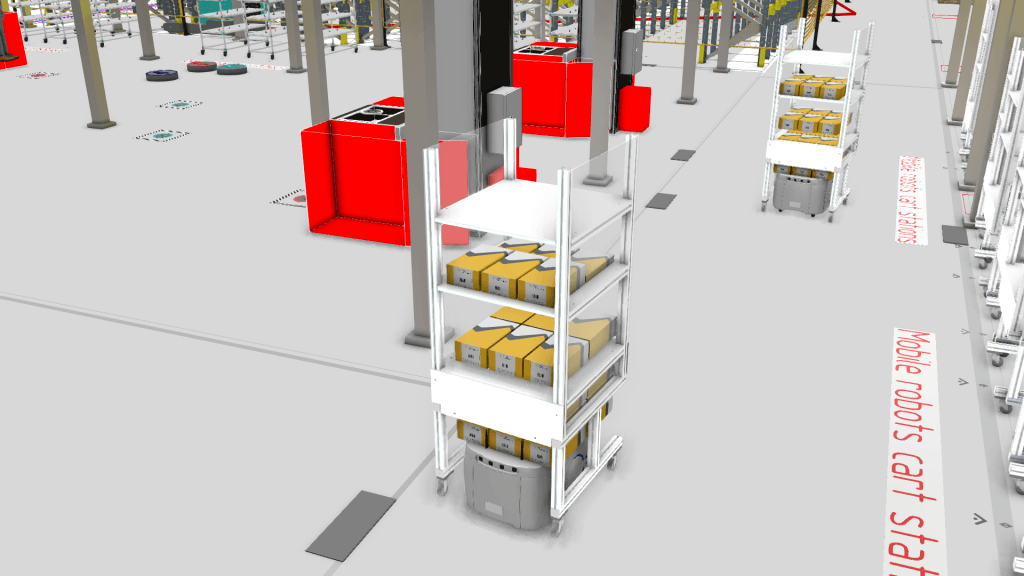
Robot simulation is about modeling robot motion and behavior in a layout. Visual Components ships with 2,350+ ready-to-use robot models — industrial robots, collaborative robots, autonomous mobile robots, and mobile robots for intralogistics. If you need to place a robot in a cell and see whether it reaches, cycles, and fits, the library covers almost anything you will encounter.
Robot offline programming (OLP) is about generating executable code that runs on a physical robot controller. That requires verified post-processors for each brand and controller. Visual Components supports 22+ robot brands for OLP — a subset of the simulation library, because not every simulated robot has a production-ready post-processor. The supported brand list grows over time, so ask for the latest.
The point: do not mix the two numbers. A platform that can simulate 2,350+ robots is not the same as a platform that can program 2,350+ robots. Both matter, but they answer different questions.
Robot processes
Simulation and OLP are only useful if they cover the processes your facility actually runs. Visual Components supports welding, cutting, painting, grinding, deburring, material handling, and dispensing in one platform. If your next cell is a painting application after a string of welding cells, you do not need a second tool.
Component library and plug-and-play
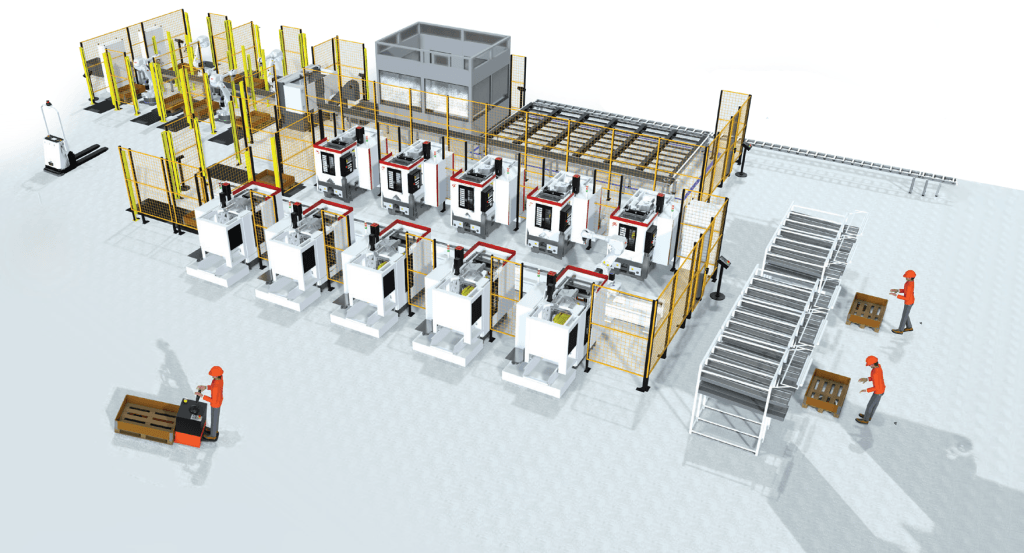
A large, ready-made component library is the difference between building a digital twin in hours versus weeks. Visual Components includes 4,000+ components — robots, conveyors, fixtures, sensors, tooling, and more — that drop into a layout without modeling from scratch. That plug-and-play breadth shortens setup time and lets engineers focus on the simulation, not the geometry.
Export and output formats
Simulation results need to leave the software. Visual Components exports to 3D PDF, VR, pictures, movies, 2D drawings, and material lists — so you can share results with stakeholders who do not have a simulation license. Not every platform makes sharing this easy.
OEM and whitelabeling
Visual Components is one of the only tools in this space offering OEM and whitelabeling capability. Partners can brand the platform under their own name and color scheme, or build genuinely differentiated products on top of Visual Components technology.
Trial availability
Only 6 of the 14 tools in the full benchmarking dataset offer any trial at all. A trial reduces risk and shortens the internal sales cycle. The free Visual Components Academy provides self-paced learning that works with or without a license.
CAD import breadth
30+ format support, including point clouds for brownfield environment scanning, reduces or eliminates the format conversion step that other platforms often require. That includes native SolidWorks files, AutoCAD DWG/DXF formats, STEP, CATIA, Creo, IGES, JT, and more.
PLC connectivity
Visual Components connects to a broad range of PLCs across regions and manufacturers: OPC UA, Beckhoff ADS, Siemens S7 series physical PLCs, PLCSIM Advanced, Allen-Bradley (Rockwell), and LS Electric (South Korea), plus synchronization with WinMOD and SIMIT for real-time signal processing. The supported protocol list spans European, American, and Asian automation systems — a genuine advantage in factory environments where automation systems span multiple generations and manufacturers.
PLC validation vs. virtual commissioning
These two terms get used interchangeably, but they are not the same thing.
PLC validation is about checking that your PLC logic is correct. Does the conveyor stop when the sensor triggers? Does the robot wait for the right signal before picking? You connect your PLC program to the simulation and confirm the logic behaves as intended.
Virtual commissioning goes further. It validates the complete automation system — robot programs, PLC logic, control sequences, and signal flows — against a digital twin of the production system before physical commissioning begins. You run your real control code against the virtual model and find out what breaks before anything is bolted to the floor.
Put simply: PLC validation tells you whether the logic works. Virtual commissioning tells you whether the whole system works together. Visual Components covers both in one platform.
FactoryLens (Omniverse viewport)
Visual Components offers FactoryLens, an add-on that provides an NVIDIA Omniverse viewport for high-fidelity rendering and visualization of simulation data. (The earlier one-way Omniverse connector has been decommissioned; FactoryLens is the current path for Omniverse-based visualization.) Some platforms offer bidirectional Omniverse connectivity, which is worth noting if that workflow is important to your team.
What the benchmarking data reveals
Seven findings stand out from the full dataset:
1. Trial availability is rare. Only 6 of 14 tools offer any trial license. This matters: purchasing simulation software without being able to test it first is a significant risk for any team.
2. Module completeness separates the platforms. Most tools handle 2–3 of the five core modules. Visual Components covers all five — Layout Planning, Material Flow, OLP, PLC Validation, and Virtual Commissioning — in one platform. Read more about how these modules connect in virtual commissioning and robot offline programming.
3. OEM/whitelabeling is exclusive to Visual Components. No other tool in our evaluation offers it. For system integrators and machine builders looking to embed simulation into their own product offering, this is a unique differentiator.
4. Pricing varies widely — and module scope matters. Enterprise platforms typically start at €20,000+ annually and increase with modules. Lower-cost options exist but cover far fewer capabilities. Visual Components Premium simulation sits at €13,000/year with full module coverage. Note that OLP is sold as a separate product line (Premium OLP) at a higher price point — the €13,000 figure covers simulation, not robot offline programming. If your team needs OLP, factor the OLP license into the comparison.
5. Robot breadth matters in mixed-brand environments. Visual Components simulates 2,350+ robot models and supports 22+ brands for OLP. If your team works with mixed-brand cells, this comparison point is critical — but remember to compare OLP brand support, not just simulation model counts.
6. API flexibility is broadly available but depth varies. All major platforms offer some API capability. Visual Components offers Python and .NET (including C#) APIs, used both for customer customization and by OEM partners building differentiated products.
7. CAD import breadth reduces pre-simulation work. 30+ format support means fewer conversion steps before simulation can begin. See the full list of supported CAD formats.
Decision framework: which tool fits your needs?
| Your primary need | Best-fit approach |
| Simulation + OLP + virtual commissioning in one platform | Visual Components |
| Multi-brand robot environments | Visual Components |
| OEM/partner customization and whitelabeling | Visual Components (unique in this space) |
| Trial before purchase | Visual Components |
| Deep PLM/Teamcenter integration | Enterprise platforms with built-in ecosystem ties |
| Factory-level material flow, no robot programming | Lower-cost alternatives |
| Lowest entry cost, limited simulation scope | Lower-cost alternatives |
| Aerospace or existing CAD ecosystem investment | Platforms tied to major CAD suites |
Conclusion
Choosing manufacturing simulation software comes down to what your team actually needs to do — and whether a single tool can do it.
For teams that need layout planning, material flow, robot programming, PLC validation, and virtual commissioning in one environment, the data points clearly to Visual Components. It covers more of those capabilities at a competitive price point, offers the only OEM/whitelabeling model in the comparison, and provides a trial that lets you verify fit before committing.
One pricing note worth repeating: the €13,000/year figure covers Visual Components Premium simulation. Robot offline programming is a separate product line (Premium OLP) at a higher price point. If OLP is in your scope, build that into your evaluation.
The Sandvik and MSK Finland teams use Visual Components across simulation, robot programming, and intralogistics planning. Read how Sandvik reduced robot programming time and how MSK Finland combined OLP with simulation to see the multi-module workflow in action.
Ready to see if Visual Components fits your needs? Start a 30-day trial or request a demo.
Frequently asked questions
What is the most complete manufacturing simulation software?
Visual Components covers all five core simulation modules — Layout Planning, Material Flow, OLP, PLC Validation, and Virtual Commissioning — in one platform and one interface. Most competitors cover two to three of these modules.
Which simulation software supports both OLP and virtual commissioning?
Visual Components covers both modules natively. Some enterprise platforms also support both, though they typically require additional product dependencies and cost significantly more.
How much does manufacturing simulation software cost?
Annual subscription pricing ranges from approximately €5,000 for lower-cost alternatives to €22,000+ for enterprise platforms. Visual Components Premium simulation is €13,000/year. Robot offline programming is sold as a separate product line (Premium OLP) at a higher price point — if OLP is in scope, factor it into the total. Costs increase with add-on modules and additional licenses for most platforms.
Can I try manufacturing simulation software before buying?
Only 6 of the 14 tools analyzed offer trial licenses. Visual Components offers a 30-day trial. Free self-paced learning is also available at the Visual Components Academy, independent of a paid trial.
Which simulation tools support the most robot brands?
It depends on what you mean by “support.” Visual Components ships with 2,350+ robot models ready to simulate. For offline programming (OLP), Visual Components supports 22+ robot brands with verified post-processors — ask for the latest list, as it grows over time. Some enterprise platforms also support extensive robot libraries.
What’s the difference between PLC validation and virtual commissioning?
PLC validation checks that your PLC logic is correct — does the conveyor stop when the sensor triggers, does the robot wait for the right signal. Virtual commissioning goes further: it validates the complete automation system (robot programs, PLC logic, control sequences, and signal flows) against a digital twin before physical commissioning begins. PLC validation tells you whether the logic works; virtual commissioning tells you whether the whole system works together.
What’s the difference between Visual Components and enterprise simulation platforms?
Both cover the full five-module scope. Visual Components is approximately €9,000/year less expensive at comparable feature levels, does not require additional product dependencies, and is the only option offering OEM/whitelabeling. Enterprise platforms have deeper PLM integration and longer-established use in automotive manufacturing.
Which simulation software is best for multi-brand robot environments?
Visual Components. With 2,350+ robot models ready to simulate and 22+ brands supported for OLP, brand-neutral programming, and AMR simulation, it is built for production environments where multiple robot manufacturers are in use.
Further reading
Digital twin in manufacturing: what it is, how it works & why it matters
Learn what a digital twin in manufacturing is, how it works, and how manufacturers use digital twins to reduce risk, boost efficiency by up to 30%, and accelerate production, with...
Manufacturing experts on why early simulation and people-first automation matter
Earlier this year, Visual Components hosted a roundtable discussion titled “How to Achieve Efficiency in Production,” bringing together Finnish experts from industry and academia to share their insights on how...
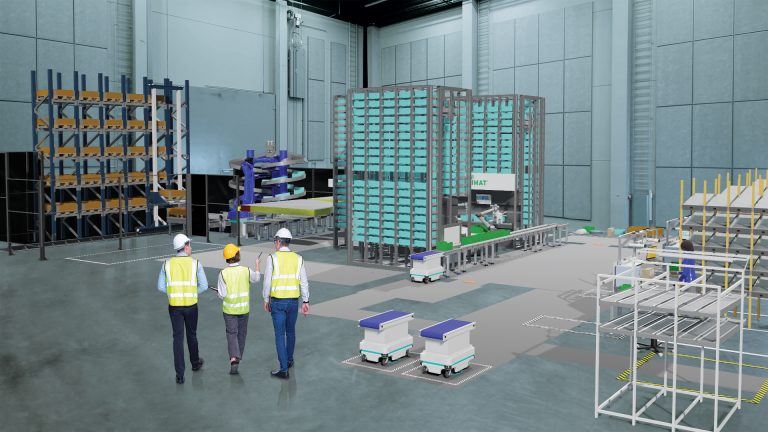
The future of automated manufacturing (and why humans still matter)
Automation in manufacturing has been evolving for decades, but its true impact isn’t in replacing people, it’s about making them more capable. We spoke with Mika Anttila, one of Visual...