Digital twin in manufacturing: what it is, how it works & why it matters
Learn what a digital twin in manufacturing is, how it works, and how manufacturers use digital twins to reduce risk, boost efficiency by up to 30%, and accelerate production, with practical examples and a getting-started guide.
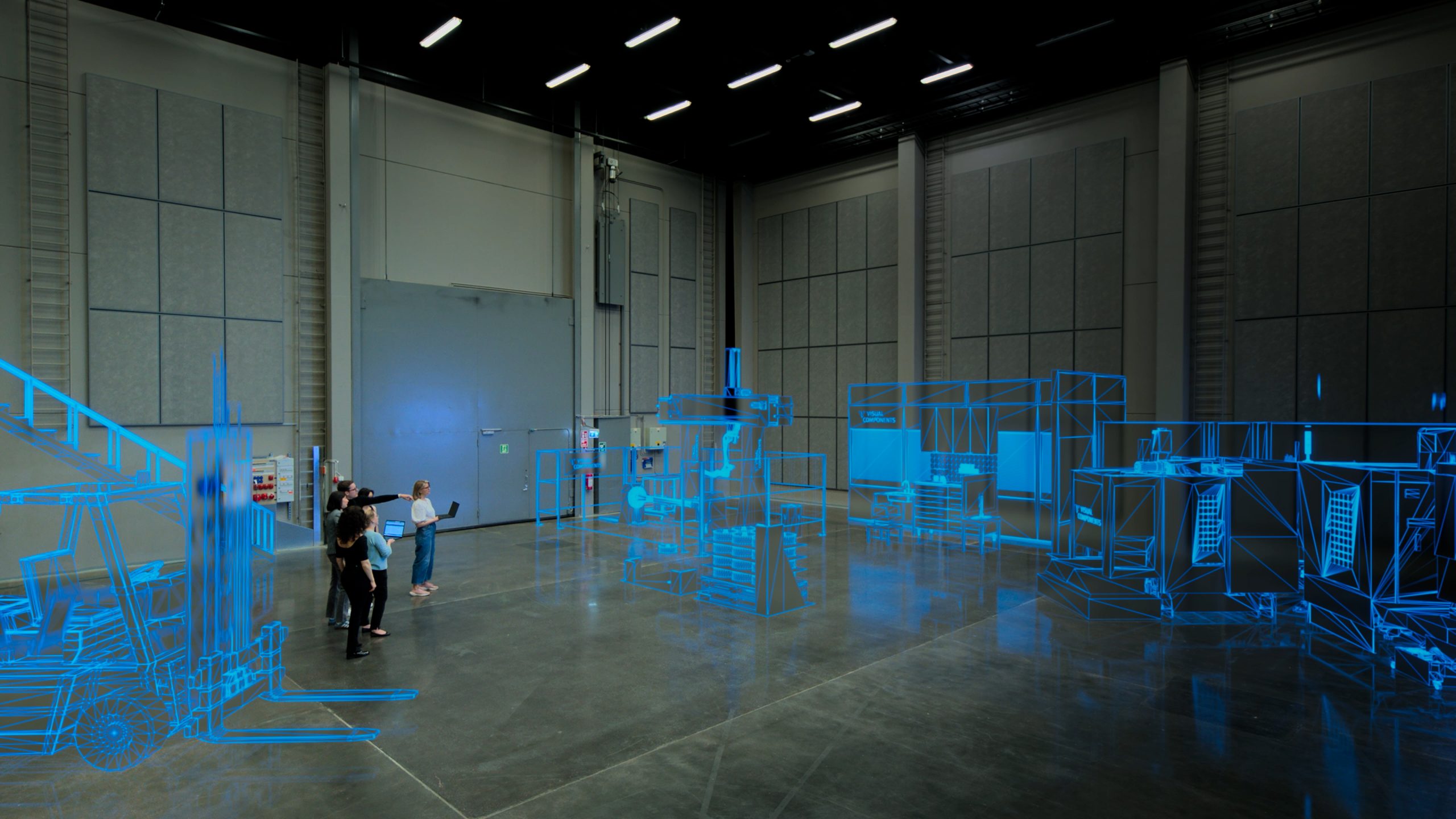
A digital twin in manufacturing is a virtual replica of a physical production system that mirrors real-world behavior and updates as the system changes. It’s a connected simulation that stays in sync with reality, not a 3D model you look at once and file away.
Manufacturers who use digital twins report up to 30% efficiency gains and up to 15% cost savings. Those numbers get attention in boardrooms, but the practical value is what keeps teams coming back: you can test a layout change or stress-test a process tweak in software before spending anything on hardware. When something goes wrong in a digital twin, nobody gets hurt and nothing gets broken.
This guide covers what a digital twin actually is, how it works on the factory floor, where the benefits show up, the growing connection to physical AI, real applications, and how to get started.
What is a digital twin in manufacturing?
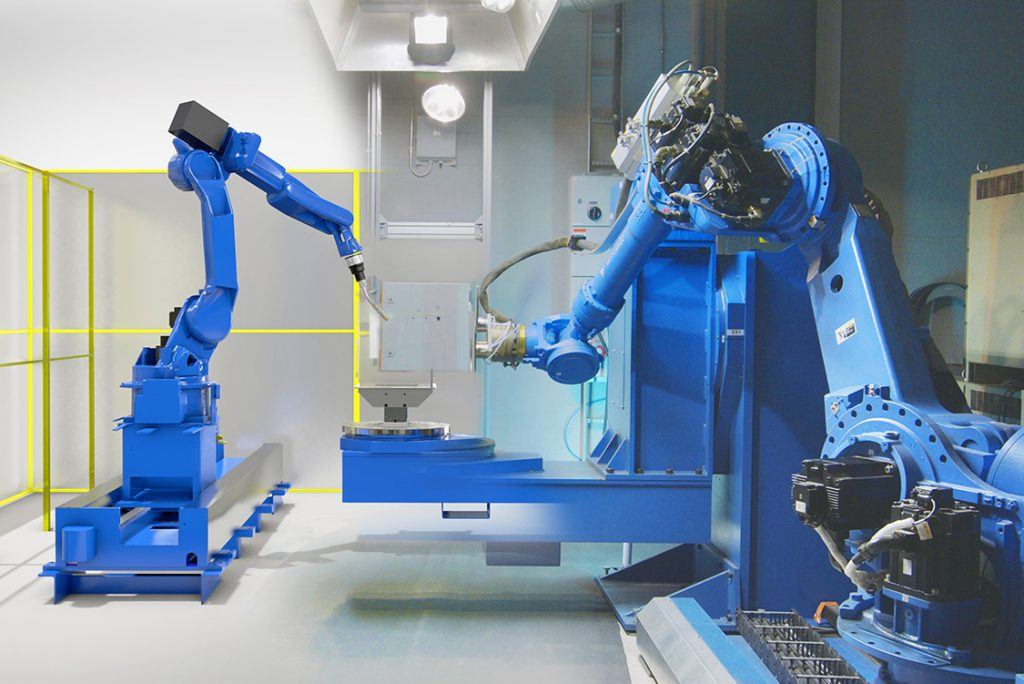
“Digital twin” has become a bit like “AI.” It means everything and nothing at the same time. Some people hear the term and picture a 3D rendering. Others assume it means a dashboard with live sensor data. Neither is quite right.
A manufacturing digital twin combines 3D modeling, process logic, and data connectivity into a single replica of a physical system. It reflects how your production line actually behaves, and it changes when the physical system changes. What sets it apart: real-time data flows in both directions. The virtual model receives data from the physical system, and it can send data back.
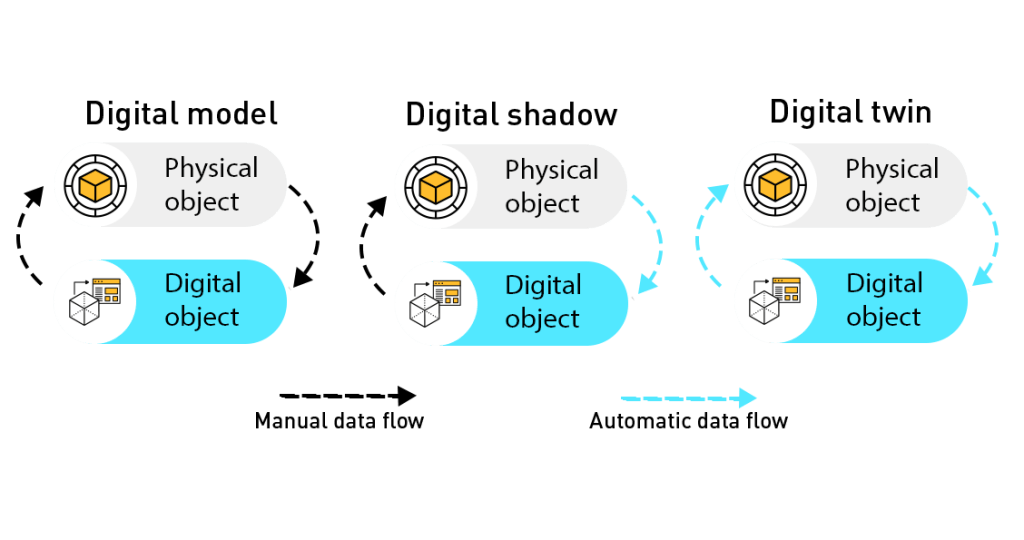
That bidirectional connection is what separates a digital twin from its close relatives:
- A CAD model is static geometry. It shows what something looks like, but it doesn’t behave like anything.
- A simulation answers a specific question at a specific moment. Its behavior models can be approximate, “about right” is good enough.
- A digital shadow reads data from the physical system and visualizes it, but it can’t send data back. It’s a one-way mirror.
- A digital twin is an ongoing, connected virtual model with bidirectional data flow. It mirrors the physical system as closely as possible and evolves alongside it.
How real-time does “real-time” need to be? In IT, real-time might mean updates every ten seconds. In manufacturing, that’s too slow. A useful digital twin streams data 30 to 100 times per second. Think of it like video streaming: if the picture and audio are out of sync, the experience breaks down. The digital twin needs to stay in lockstep with the physical system to be useful for testing and validation.
The concept goes back to NASA’s Apollo program, where engineers built identical physical replicas to troubleshoot problems remotely. That same idea now lives on the factory floor, accessible to production teams rather than just research labs.
How digital twins work in manufacturing
A digital twin runs on a loop between the physical and virtual worlds:
Physical system > Data capture > Virtual model > Analysis and optimization > Changes applied > Physical system
Four technology layers make this loop work. None of them require deep technical expertise, but understanding how they fit together helps.
3D simulation and layout modeling
You build a virtual version of your production environment, whether that’s a single robot cell or a full factory. The 3D model should be a reasonably accurate representation of the physical setup: correct machines, dimensions, and spatial relationships.
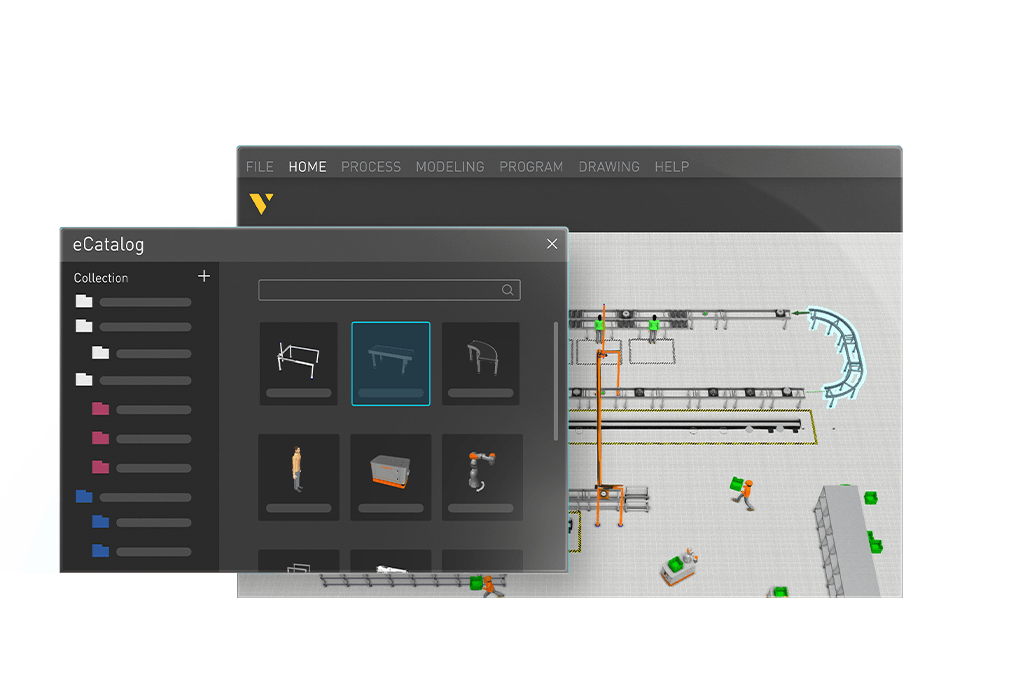
Modern platforms don’t require you to model everything from scratch. Our eCatalog includes over 4,000 ready-made components (robots, conveyors, fixtures, tooling). Think of them as LEGO bricks: you pull them off the shelf and start building. Without a library like this, creating a single robot cell from scratch can take days or weeks of specialized work. With it, you’re starting from the halfway mark.
Process logic and behavior modeling
This is what makes the model behave like your actual production. You define how materials flow, how machines interact, how processes sequence and time. In a simulation, behavior models can be approximate. In a digital twin, you want them as close to reality as possible, because the whole point is to test whether things will work before you commit to physical changes.
Complexity tends to surprise people here. Some behaviors that look difficult turn out to be straightforward. Others that seem obvious take days of work to get right. That unpredictability is actually one reason digital twins are valuable: building the behavior model forces you to think through your production logic in detail, and teams regularly discover improvement opportunities just from doing that work.
Data connectivity
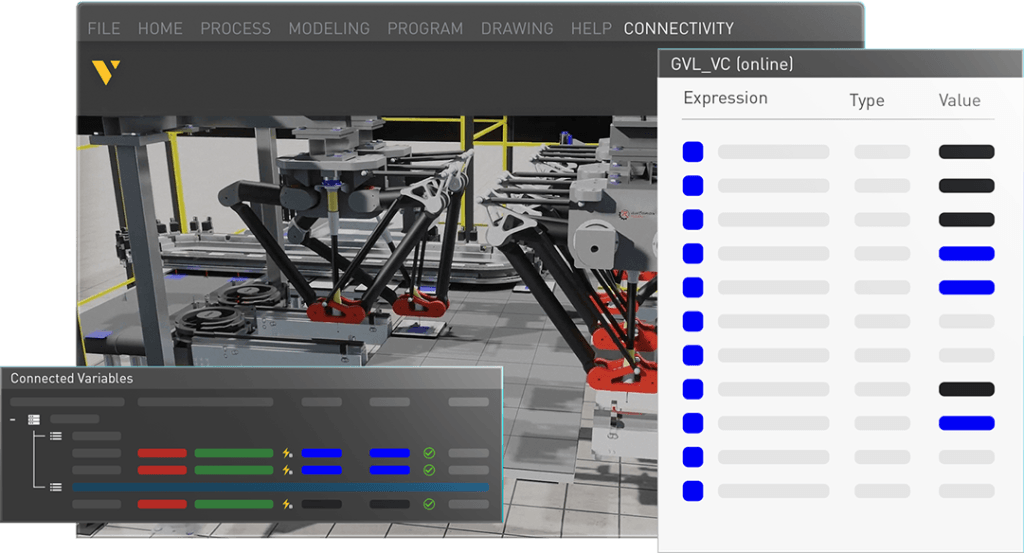
You feed real or planned data into the model. This can range from equipment specs in a spreadsheet to live control system feeds. For a full digital twin, data typically comes from an automation control system (PLC, robot controller, or similar) streaming into the virtual model in near real-time.
Production data can also flow in: order information from a database, product variants from an ERP system, scheduling data from an MES. The digital twin uses this data to replicate real production scenarios rather than theoretical ones.
Visualization and collaboration
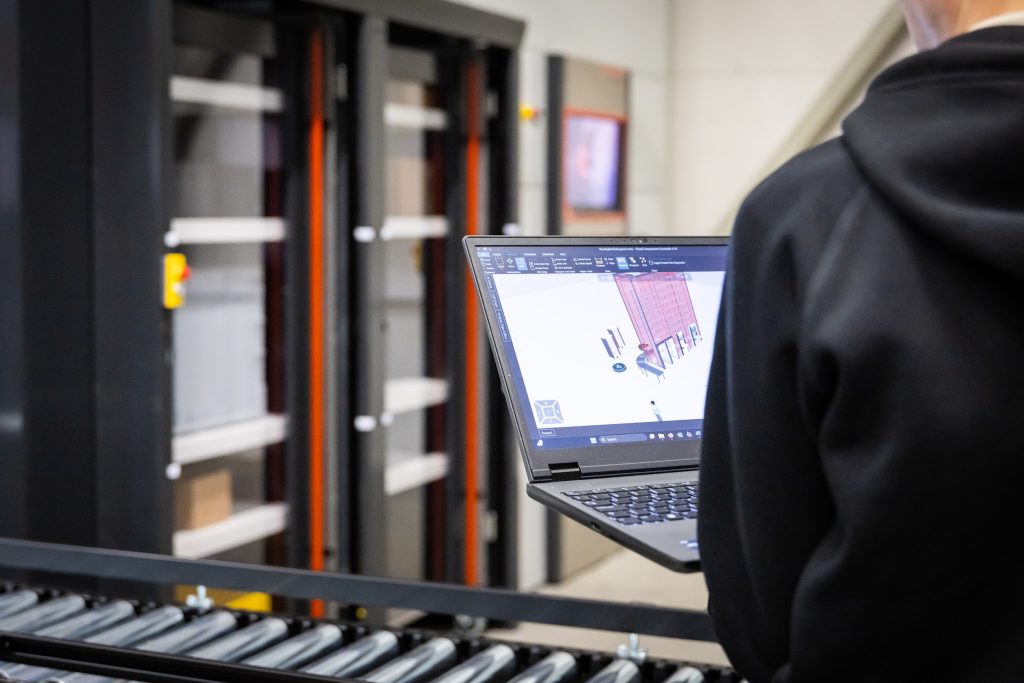
The model becomes a shared reference that different roles use in different ways. Mechanical designers contribute 3D models and equipment specs. Simulation engineers build the behavior models. Automation engineers test control logic against the virtual system, something that’s difficult and risky to do with physical hardware alone.
Once the twin is built, the audience expands. Plant managers review performance metrics. Leaders assess capacity and investment scenarios. And because the model is visual and interactive, you can present it to stakeholders or customers remotely. A 3D model on screen works better than a slide deck, and it works just as well over Teams or Google Meet as it does in person.
In a global manufacturing environment, that matters. You don’t need to fly someone thousands of kilometers to see how a system works.
Benefits of digital twins in manufacturing
Less risk before committing capital
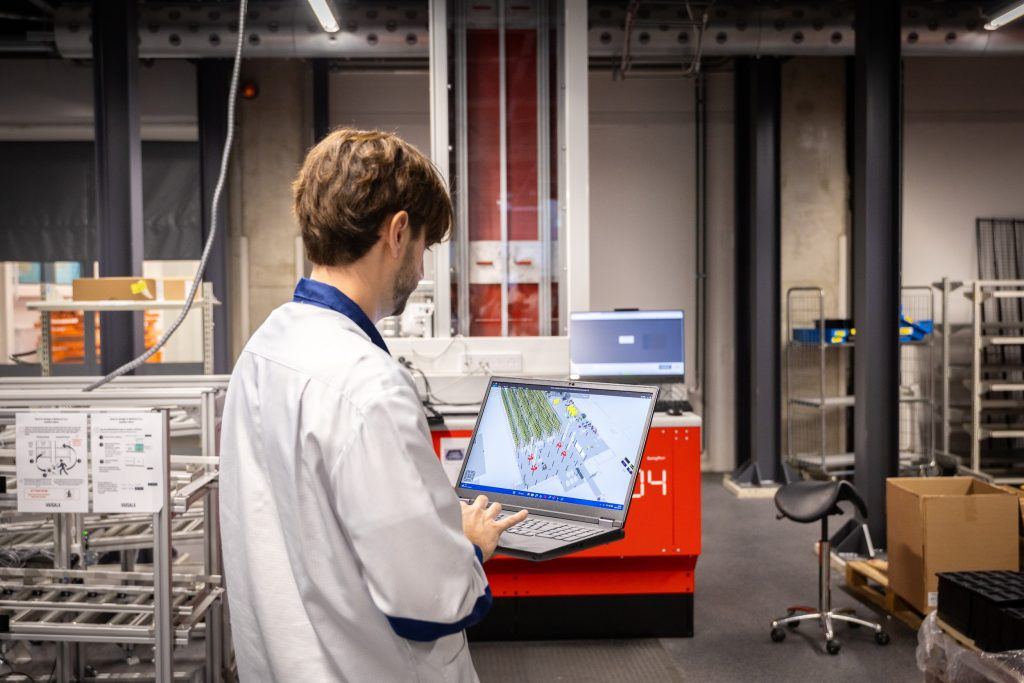
Test layout changes, new equipment, and process modifications in software before spending on physical changes. You find out whether a new line will actually work before you break ground.
In regulated industries like pharmaceuticals, where compliance requirements are strict and the cost of failure is severe, digital twins let teams validate that a system works reliably before it ever runs a real product. Finding a problem at the end of a project, when equipment is installed and deadlines are tight, is far more expensive than finding it in the virtual model months earlier. See how simulation supports medical device production.
Productive use of lead time
When you order industrial hardware, delivery can take six months. Without a digital twin, that’s dead time. With one, your team can build, test, and refine the virtual system while the physical equipment is in transit. When the hardware arrives, you’re ready to commission.
Moving from sequential to parallel work is where much of the practical value lives. Six months of waiting becomes six months of progress.
Efficiency gains up to 30%
Optimize production flows, spot bottlenecks, and validate throughput before go-live. You see where your constraints are before they cost you real money and real time. Foxconn, the electronics contract manufacturer, reportedly cut deployment times for new robotic systems by 40% and improved cycle times by 20-30% using digital twin simulations, according to a World Economic Forum report.
Cost savings up to 15%
Run what-if scenarios in hours instead of days. Compare configurations digitally. The savings come from avoiding bad investments as much as from improving existing operations. If you discover that a half-million-euro machine will have poor utilization before you buy it, the digital twin project just paid for itself.
Shorter time to production
Validate designs digitally so you can design, test, and refine in parallel instead of in sequence. Teams that use digital twins consistently report that commissioning, the most expensive and stressful phase of any automation project, goes significantly smoother because the critical issues were already found and resolved in the virtual model.
Better collaboration across teams
Engineers, managers, and stakeholders can all look at the same 3D model instead of trading slide decks back and forth. When you can visualize a system running, problems become obvious in ways that spreadsheets can’t show. Decisions happen faster when everyone is looking at the same thing.
A sandbox for continuous improvement
A digital twin isn’t a one-time project deliverable. It’s something you keep using: test optimizations, model new product introductions, explore what-if scenarios for repurposing equipment, adapt to shifting demand, all without disrupting live operations. Need to repurpose a robot for a completely new task? Test it digitally first.
The role of physical AI in digital twins

Digital twins are changing, and physical AI is one of the reasons.
Physical AI refers to AI systems that interact with the physical world. Where traditional AI processes text or images on a screen, physical AI combines hardware (robots, sensors, actuators) with AI-driven decision-making. It allows machines to perceive their environment and adapt to it, rather than just execute a fixed program. Say you have a robot on a pick-and-place line. With physical AI, it could use machine vision to recognize product variants and adjust its grip on the fly, instead of requiring every object to be identical and perfectly positioned.
A World Economic Forum report describes this as a new phase of industrial automation, identifying three generations of industrial robotics: rules-based (rigidly programmed), training-based (learning from simulated or real-world experience), and context-based (interpreting unfamiliar situations autonomously). Physical AI powers the second and third generations.
The connection to digital twins: physical AI needs a safe, controllable environment to train and validate before deployment. The digital twin is that environment. Robots and autonomous systems can learn, be tested, and prove their reliability inside the virtual model before anyone powers up the real hardware.
Manufacturing moves conservatively, for good reason given the cost of hardware and the safety stakes involved. Physical AI in factories is a matter of when, not if, but broad adoption is likely years away rather than months. For manufacturers already building digital twins, the implication is practical: your simulation environment may become the foundation for AI-driven automation down the line.
Practical applications: where digital twins deliver results
Factory layout planning
Design new production lines or reconfigure existing ones without disrupting live operations. Test layouts virtually before committing to physical changes. Read more about simulation-based factory layout design.
Production flow optimization
Simulate material flows, buffer sizing, and resource allocation to find real throughput improvements. Spot bottlenecks and test fixes before they hit the shop floor.
Virtual commissioning
Validate automation and control logic against the digital twin before physical commissioning. This is especially useful for automation engineers who need to test code that’s risky to test on real hardware. A bug in robot code found in simulation is an inconvenience. The same bug found on the factory floor can mean damaged equipment and extended downtime. Learn more about virtual commissioning.
New product introduction
Test how a new product variant impacts your existing production before making changes. The question “can our line handle this?” gets a concrete answer instead of an educated guess.
Capacity planning
Model demand scenarios to plan shifts, equipment, and workforce needs. What happens if you add a second shift? What if peak season hits two weeks early? The model tells you.
Workforce training
New employees can train on the digital twin before touching real equipment. Complex automation systems carry safety risks, and production can’t always pause for onboarding. A digital twin gives new operators a risk-free environment to learn machine operations and practice production scenarios without interrupting the line.
Stakeholder communication
A 3D visualization works better than a slide deck for presenting proposals and getting buy-in. Use it to align cross-functional teams around a shared, interactive model, whether they’re in the same building or on another continent.
How to get started with digital twins
You don’t need to digitize your entire factory on day one. Trying to build a factory-wide digital twin as your first project is one of the most common mistakes, and one of the most expensive. Start smaller.
If your team is new to this, begin with a digital simulation rather than a full digital twin. You learn how to model systems, define behavior, and test scenarios, all skills that transfer directly when you’re ready for bidirectional data connectivity. Learn what manufacturing simulation involves.
Even a single robot cell makes a good first project. Focused scope, clear results, and you build internal expertise without biting off too much.
Start with a question, not a technology project. “Can we increase throughput by 20%?” or “What happens if we reconfigure this cell?” Pick one that matters to your business.
You probably have more usable data than you think. A 3D model (CAD export) and equipment specifications are the essentials. Process documentation, even if it’s just a PDF or a spreadsheet someone put together, is enough to start building behavior models. Read our guide to input data for manufacturing simulation.
Digital twin projects pull from multiple disciplines: mechanical engineering, simulation, automation, and process knowledge. The software shouldn’t add unnecessary complexity on top of that. We built Visual Components to work that way: drag-and-drop layout design, over 4,000 ready-made components, and it scales from a single cell to a full factory.
First projects always surface surprises. That’s the point. Once it works, teams tend to keep going.
The bottom line
Digital twins let you make mistakes in simulation instead of on the factory floor. They compress project timelines and reduce the chance of expensive surprises during commissioning.
The biggest barrier isn’t cost or technology. It’s unfamiliarity. Digital twins require cross-disciplinary collaboration and skills that most manufacturing teams are still building. But the learning curve flattens fast, and even one successful project tends to change how teams approach everything after it.
With physical AI on the horizon, your digital twin may eventually do more than model your factory. It may help run it. That shift is still years out for most manufacturers, but the groundwork starts with the simulation capabilities you build today.
Digital Twins in manufacturing FAQ
A digital twin in manufacturing is a virtual replica of a physical production system (a robot cell, a production line, or an entire factory) that mirrors real-world behavior through bidirectional data connectivity. It combines 3D modeling, process logic, and real-time data to let you test and validate production decisions before implementing them physically.
A simulation is a one-time analysis of a specific scenario with approximate behavior models. A digital twin is an ongoing model that continuously reflects the physical system it represents, with behavior models that closely match reality and real-time data flowing in both directions. A digital shadow sits between the two: it reads real-time data but can’t send data back to the physical system.
The main benefits are reducing risk before capital investments, using hardware lead time productively, boosting efficiency by up to 30%, saving costs by up to 15%, shortening time to production, and improving collaboration across teams.
It depends on scope. You can start with a single robot cell and scale up. You don’t need large IT infrastructure. Platforms like Visual Components are designed to make entry practical for teams of any size. A focused digital twin project that prevents even one commissioning delay typically pays for itself.
For a full digital twin, yes, bidirectional real-time data is what defines it. But you can start with a digital simulation using static data (CAD files, equipment specs, process parameters) and add real-time connectivity later. Many teams find the simulation stage valuable on its own.
Yes. Digital twin platforms aren’t limited to large enterprises. Visual Components is designed for teams of all sizes, with drag-and-drop interfaces and a library of over 4,000 ready-made components.
Further reading
Manufacturing experts on why early simulation and people-first automation matter
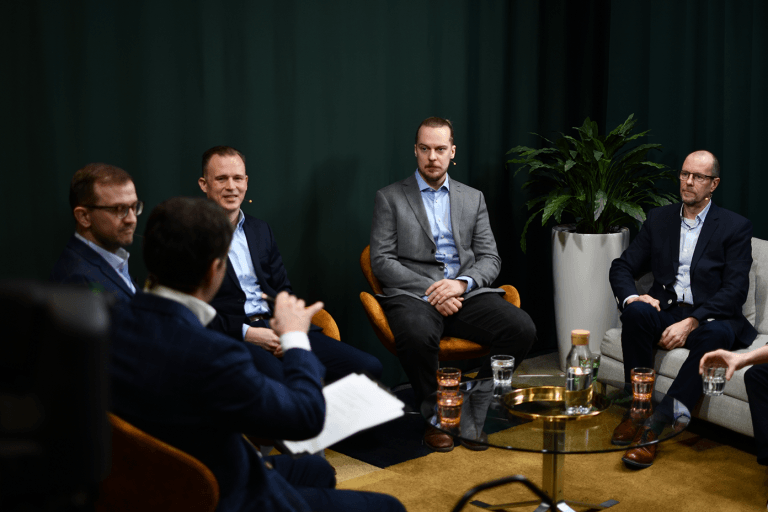
Earlier this year, Visual Components hosted a roundtable discussion titled “How to Achieve Efficiency in Production,” bringing together Finnish experts from industry and academia to share their insights on how...
The future of automated manufacturing (and why humans still matter)
Automation in manufacturing has been evolving for decades, but its true impact isn’t in replacing people, it’s about making them more capable. We spoke with Mika Anttila, one of Visual...
Understanding digital twins in manufacturing
Digital twins go far beyond static models or simulations. They bridge the gap between virtual and physical systems, offering real-time insights and control. But with so many definitions floating around,...